What Is a Good CTR on YouTube? (Benchmarks by Channel Size)
YouTube CTR benchmarks vary by channel size, niche, and format. Here's what good actually looks like — and when to stop chasing the number.
YouTube Analytics for Creators → How to Track Your YouTube Analytics in Excel → You Don’t Have a Content Problem. You Have a Feedback Problem. → What Is a Good CTR on YouTube? (you’re here) → What Are the Best YouTube Metrics for Growth?
TL;DR: A good YouTube CTR is 4-7% for most channels. Below 3% means your thumbnails or titles need work. Above 8% is excellent. But the number only means something compared to your own channel history — not to a universal benchmark.
You publish a video. CTR comes in at 3.2%.
Is that good? Bad? Do you need to recut the thumbnail at midnight or is this fine?
YouTube Studio gives you the number but not the context. The context is what most guides skip.
Here’s the full picture.
What is a good CTR on YouTube in 2026?
YouTube has publicly stated that most channels see CTR between 2-10%, with the average falling around 4-5% for established channels. That range is technically accurate and practically useless without context.
Here’s what the benchmarks actually look like when segmented:
| Channel size | Typical CTR range | BravePicks verdict |
|---|---|---|
| Under 1K subscribers | 8–15% | Normal — audience is mostly subscribers who click readily |
| 1K–10K subscribers | 5–10% | Good range — thumbnails are working |
| 10K–100K subscribers | 4–7% | Solid — you’re reaching new audiences at scale |
| 100K–1M subscribers | 3–6% | Expected — broader impressions dilute CTR naturally |
| 1M+ subscribers | 2–5% | Healthy at this scale — cold audiences click less |
The pattern: CTR tends to fall as channels grow. A 4% CTR at 10K subscribers and a 4% CTR at 500K subscribers are completely different situations. One is underperforming. The other is strong.
BravePicks: In YouTube analytics data tracked through our templates, the most common creator mistake is comparing their CTR to large channel benchmarks when their channel is under 50K subscribers — leading to unnecessary thumbnail redesigns on videos that are actually performing well.
Why CTR alone doesn’t tell you what you think it does
CTR measures one thing: did someone click your thumbnail when they saw it?
It does not measure:
- Whether they stayed to watch
- Whether they subscribed
- Whether the video grew your channel
YouTube’s algorithm surfaces content based on CTR × watch time. A video with 10% CTR but 1-minute average view duration (on a 10-minute video) will be throttled. A video with 5% CTR but 7-minute average view duration will keep getting pushed.
This is why chasing CTR in isolation is a trap.
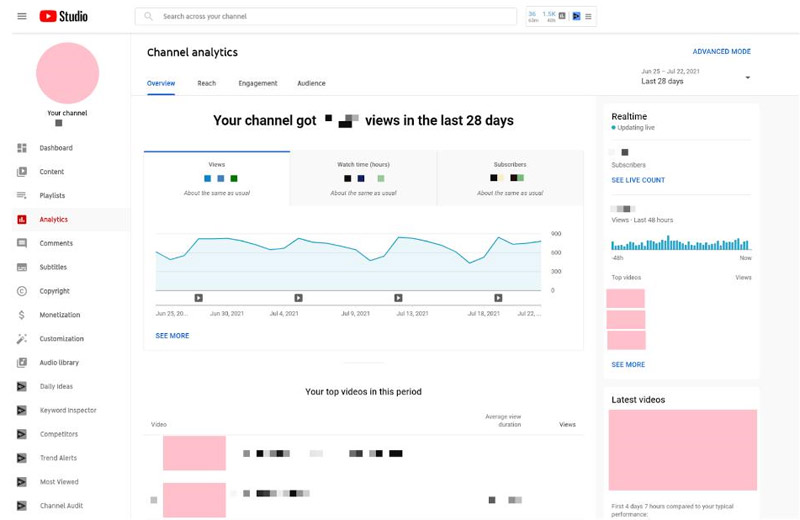
The metric that actually predicts growth is watch time × CTR combined. YouTube calls this “click-through rate to average view duration.” Track both.
CTR benchmarks by content type
Format changes everything. Shorts, long-form, and livestreams behave differently in the feed — which means their CTR benchmarks differ too.
| Content type | Typical CTR range | What drives it | BravePicks verdict |
|---|---|---|---|
| Long-form (8–20 min) | 3–7% | Thumbnail + title alignment | 4%+ is the target floor |
| Shorts (<60s) | 1–4% | Lower — shown in dedicated Shorts feed | Don’t benchmark against long-form |
| Livestreams | 5–12% | Subscriber notifications drive clicks | High CTR expected; watch duration is the real signal |
| Playlists / Series | 6–10% | Existing audience familiarity boosts clicks | If below 5%, reconsider series framing |
Shorts have structurally lower CTR because they appear in the Shorts feed, where the impression measurement works differently. Comparing your Shorts CTR to your long-form CTR is meaningless — they’re different formats playing by different rules.
When to actually worry about your CTR
Not every low CTR is a problem. Here’s when it is:
Your CTR dropped vs. your own baseline. If your channel average was 5.5% for six months and it’s now 3.2%, something changed. That’s worth investigating. Compare your recent videos to your historical average, not to industry benchmarks.
CTR is low on a new topic you’re testing. Low CTR on a new format or topic often means your existing audience didn’t expect it — not that the thumbnail is bad. Impression type matters: subscriber notifications get higher CTR than browse features.
Multiple videos in a row below 2%. One outlier is noise. Three or four consecutive videos below 2% is a thumbnail strategy issue.
High CTR but no growth. Your thumbnails are working but the content isn’t delivering on the promise. This is a watch time problem, not a CTR problem.
How to improve YouTube CTR (what actually works)
Most CTR advice focuses on design tricks. The real lever is promise clarity: the thumbnail and title together make a specific promise, and the viewer believes it enough to click.
Thumbnail fixes that move the number
- One clear focal point — face, object, or text. Cluttered thumbnails lose to clean ones.
- High contrast against the YouTube feed — red, orange, and yellow pop. Greys and dark blues blend.
- Emotion is faster than information — a face showing surprise, curiosity, or concern communicates faster than a title card with text.
- Test your thumbnail at small size — YouTube thumbnails are often seen at 200×113px. If your thumbnail reads clearly at that size, it’s working.
Title fixes that move the number
- Specific beats vague — “How I doubled CTR in 30 days” outperforms “YouTube CTR tips” every time.
- Numbers and timeframes add credibility — “in 7 days,” “in 2026,” “under 10 minutes.”
- Match the search query exactly when possible — if people type “what is good CTR on YouTube,” that phrase in the title signals relevance both to viewers and to the algorithm.
BravePicks: The single highest-impact CTR change in creator data we’ve tracked: switching from thumbnail text that describes the video to thumbnail text that states the outcome the viewer wants. “YouTube growth system” vs. “I gained 1,000 subs in 60 days” — same video, very different click rates.
How to track CTR so it actually tells you something
A single CTR number in YouTube Studio is almost meaningless. CTR over 20+ videos, segmented by format, tells you exactly where to improve.
The tracking setup:
| What to track | Why |
|---|---|
| CTR per video | Baseline for each upload |
| CTR by format (long-form vs. Shorts) | Separate benchmarks for separate formats |
| CTR by impression source | Subscriber notifications vs. browse features click at different rates |
| CTR trend over last 6 months | Is your thumbnail game improving or declining? |
The YouTube Analytics Tracker PRO tracks all of this automatically — CTR by video, by format, and by month, with charts that show the trend line. If you want the lightweight version, the MINI covers CTR per video in four sheets.
People also ask
What is a good CTR on YouTube for a small channel?
For channels under 10K subscribers, 5–10% CTR is the normal range and anything above 8% is strong. Small channels show content mostly to existing subscribers, who click at much higher rates than cold audiences. Don’t use large-channel benchmarks — they’ll make healthy performance look bad.
Is 2% CTR bad on YouTube?
It depends on channel size. For a channel with over 500K subscribers, 2-3% CTR is normal — large channels reach broad cold audiences who click less. For a channel under 50K, a sustained 2% CTR is a signal to review thumbnails and title strategy. Compare to your own channel average before concluding it’s a problem.
Does CTR affect YouTube monetization?
CTR doesn’t directly affect RPM or CPM. But CTR affects watch time, and watch time affects how many impressions YouTube gives your videos — which directly affects total revenue. Indirectly, strong CTR compounds into more views, more hours, and more ad revenue over time.
What CTR do top YouTubers get?
It varies widely. Large established channels (1M+ subscribers) often run at 3-6% because they reach huge browse feature audiences. Niche creators and smaller channels with highly engaged audiences regularly see 8-12%. The highest CTRs tend to be on notification-driven content shown to existing subscribers — not on browse impressions.
How do I check my YouTube CTR?
In YouTube Studio: Analytics → Reach → Impressions click-through rate. You can filter by date range, video, and impression source. For long-term pattern tracking across all your videos, log it monthly into a YouTube analytics spreadsheet so you can compare across formats and time periods.
From this article
Content Creators
YouTube Analytics Tracker PRO
A data-driven system to analyze your videos, identify patterns, and grow your YouTube channel faster — not another tracker.